Start with a simple image
Bold shapes and clear contrast make readable patterns. Choose stitch dimensions and colors, then generate. Or start with a blank canvas.

Small stitches. Your own design. Turn a favorite image into a chart, or draw from scratch. Refine every stitch, make the palette your own, and take a printable pattern to your hoop.
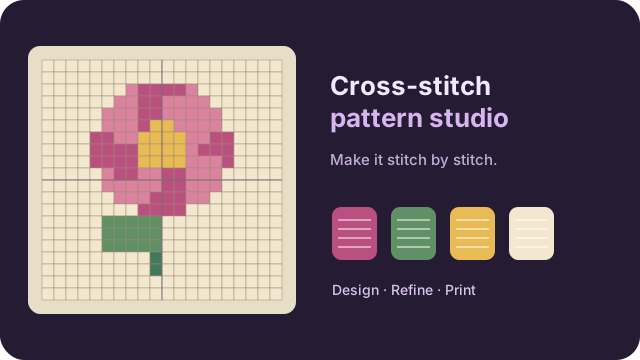
Try the example to explore the studio.
Ctrl+Z undo · B brush · G fill · H panBold shapes and clear contrast make readable patterns. Choose stitch dimensions and colors, then generate. Or start with a blank canvas.
Brush, erase, fill and pick colors. Merge similar threads, tidy isolated stitches, and use the stitched preview to see your design without chart symbols.
Check the finished size and fabric allowance. Download the PDF and save your project. Compare screen colors with real thread before stitching.
You can import a JSON palette containing a name and six-digit hex color per entry. Default colors are generic. Display colors are approximations and do not certify a thread manufacturer match.
Pixels with alpha below 128 become empty stitches. Visible pixels become solid thread colors. The studio creates full cross stitches; backstitch, half-stitches and bead symbols are not supported.
A palette legend with thread labels and counts, followed by chart tiles of up to 40 columns by 50 rows. Choose A4 or US Letter and symbol-only or colored cells. Numbered edges and bold ten-stitch guides help you follow the chart. PDF names use basic Latin text; other characters are replaced with question marks, while projects preserve the original names.
Pattern width and height divided by the chosen fabric count give approximate inches, assuming one stitch per counted fabric square. For evenweave stitched over two threads, choose the effective stitch count, such as 14 for 28-count fabric. Add your own border allowance.
Save project downloads the grid, palette, pattern name, fabric count and border allowance. Open project restores the chart without its source photo. Existing version 1 projects still open. Projects are not saved automatically.
PNG, JPEG or WebP images up to 20 MiB and 8 million pixels. Patterns support 4–200 stitches per edge, up to 32 colors and 30 undo steps. Processing happens in a disposable local worker.
Pattern generation and exports happen in your browser. The public page may load ads and optional analytics as explained in the site privacy policy.
Paint with 1, 3, 5 or 9-stitch brushes, erase, flood-fill connected areas, pick colors or pan around the chart. Rename and recolor threads, merge colors, highlight a color or clean isolated stitches. Undo and redo store up to 30 pattern edits.
It draws a small cross in each filled cell using your palette. It is a screen illustration, not a simulation of real thread thickness, fabric or lighting. Use the symbol views and PDF for following the pattern.
The workspace matches the 1,600-pixel maximum width of the other Studio tools. Use Fit to show the chart, the zoom controls to inspect stitches, or Full screen to keep the editor on the whole display. On smaller screens the canvas comes first and controls follow below.
Allow Google Analytics to measure visits? Tool inputs and file contents are not included. Privacy information