
Game Sound Effects Studio
Build distinctive game and interface sounds, audition variations, and export a sound pack. Everything is synthesized in your browser: no microphone, account or processing upload.
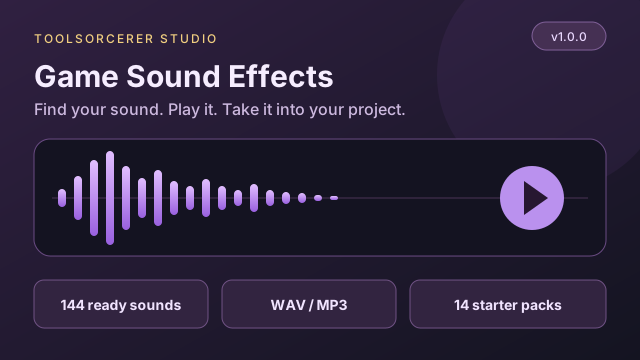
Preview an effect and download WAV or MP3, or get a complete starter pack.
Choose an effect and press Play or Download. Start with your speaker volume low.
Find your next sound
Play → Download WAV or MP3. No settings required. Click a sound name to customize it. Star useful sounds to keep them in Favorites.
144 synthesized effects across 13 categories.
Get a complete starter pack
Download a ready-made ZIP for your app, game or video. Includes audio files, an editable project and a manifest. Your own bank stays as it is.
Shape the sound
Edit the pitch, envelope, texture and effects.
Editing a bank sound. Use Update bank sound to save changes to that entry.
Explore variations
Keep the character of your sound while changing its pitch, length and noise seed. Each variation can become its own sound-bank entry.
Your sound bank
Keep up to 16 sounds in this project. Save a project JSON to keep editing later. A ZIP pack contains your selected WAV or MP3 files, settings, a manifest and an integration README.
Arrange a sound sequence
Each cell is one sixteenth note. Choose sounds from your bank, set per-step volume and swing, then render a sequence. Sound tails are preserved after the final step; this export is not a seamless music loop.
One effect. Several ingredients.
Combine up to four synthesized sounds. Add a low impact, a bright attack or a delayed sparkle, then export them as one WAV or MP3. Start with a recipe or build your own.
0 / 4 layers
Start delays are seconds from the beginning. Solo isolates a layer; mute always takes priority. Effects tails are included, and the mix is reduced if necessary to prevent clipping. Save project to keep every layer editable. Layered effects export from the preview; the sound bank holds individual synth sounds.
How to create a game sound pack
- Get a ready sound. Preview and download an effect without changing settings. To customize it, choose Advanced sound designer. Start with arcade, combat, interface, magic, percussion or atmospheric sounds.
- Shape and audition. Pitch controls the sweep; the envelope controls the attack and fade. Expand effects for filtering, echo and retro texture.
- Make variations. Try subtle alternatives for repeated actions so they sound less repetitive.
- Build a bank. Give each sound a useful name and add its settings to your bank.
- Arrange or export. Combine up to four sounds in Layer composer, make a 16-step sequence, download a WAV or MP3, or export your whole bank as a ZIP.
- Keep your project. Save the project JSON to continue editing on another visit.
Designed for procedural game audio
These are synthesized effects, not realistic voice conversion or recorded instruments. Oscillators, seeded noise, modulation and short echo taps create the sounds. Aggressive square waves, sample hold and low bit depths intentionally sound rough. Atmosphere presets are short textures with fades; looping a preview can have an audible seam.
The bank is limited to 16 sounds and variations to eight per batch. One-shot sounds have up to five seconds of source audio plus an effects tail. WAV exports use mono or stereo 16-bit PCM at 22.05, 44.1 or 48 kHz. MP3 exports use 192 kbps; 22.05 kHz audio is converted to 44.1 kHz for MP3. MP3 can add encoder padding and is less suitable for tightly timed loops. Website services and advertising are covered in our privacy policy.
Questions & answers
What kinds of sounds can I make?
Start with arcade jumps and coins, combat effects, interface clicks, magic chimes, percussion and short atmospheric textures. These are procedural synthesized effects, not recordings or realistic voices.
Does creating a sound upload my project?
Sound synthesis, previews and exports run in your browser. There is no processing upload. Site services and advertising are covered in the website privacy policy.
What does the sound pack include?
The ZIP contains one WAV or MP3 per sound-bank entry, according to your selected download format, a manifest with settings and seeds, a project JSON and an integration README. A sequencer arrangement is saved in the project; render it separately to export its WAV.
Can I edit my sounds on another visit?
Save project downloads a JSON file containing your current sound settings, sound bank and sequence. Load that file to continue. The page does not automatically persist your project.
Can I use the exported effects in my game?
You can use the generated effects in your game, app, video or other project without attribution to ToolSorcerer. The presets synthesize audio without included third-party recorded samples.
Why does an atmospheric preview have a loop seam?
The tool creates finite sounds with an attack, release and optional effects tail. The preview loop simply repeats that file. It does not generate seamless looping ambience.
How large can a project be?
A bank holds up to 16 sounds. Source duration is 0.05 to five seconds per effect, with a short optional tail. Variations generate up to eight sounds at once. A sequence has 16 sixteenth-note steps and up to four repeats.
How do I compare two sounds?
Generate a preview and choose Keep preview as A. Change your designer settings and generate again, then use Play A reference to compare. A is temporary and is not included in saved projects. Undo and redo apply to designer settings, not bank deletion or sequence edits.
Where are my favorite presets stored?
Favorites are stored in this browser on this device. Sound projects are saved only when you download a project JSON. Auto-audition is off by default and can be enabled when you want designer edits to play after a short pause.
Can I get a sound without knowing sound design?
Yes. Quick Sounds opens by default. Choose an effect, press Preview to listen, then download WAV or MP3. You can also download a complete starter pack as a ZIP without changing any settings or filling your own sound bank. The included sounds are synthesized effects, not real-world recordings.
Can I download MP3 instead of WAV?
Yes. Choose MP3 in Download format before downloading an effect, preview, sequence or ZIP pack. MP3 is encoded locally at 192 kbps. Source audio at 22.05 kHz is converted to 44.1 kHz for MP3. Choose WAV for lossless assets or tightly timed loops because MP3 can add encoder padding.
How do I combine several effects into one sound?
Open Layer composer and start with a recipe or choose up to four preset or sound-bank layers. Set start delays, level and pan, use solo to inspect a layer, then render one WAV or MP3 from the preview. Save project JSON to keep the layers editable. Layered mixes are separate from the bank and sequencer.